

Quick Controls
- Click or tap → Lock the camera. Begin the controlled flight view.
- Mouse left/right → Tilt the plane. Read the next approach before correcting.
- Touch swipe → Adjust flight. Follow the touch layout in supported play.
High Score Tips
- Make a small correction toward the target before reversing direction.
- Use an earned reward to address a flight or combat weakness you noticed.
- Read the next aircraft's path instead of watching only your own plane.
Tilt a fighter toward enemy aircraft, earn cash from destroyed targets, and improve the next flight.
- Developer
- CriattivaLabs
- Classification
- Shooter
About Plane Wars
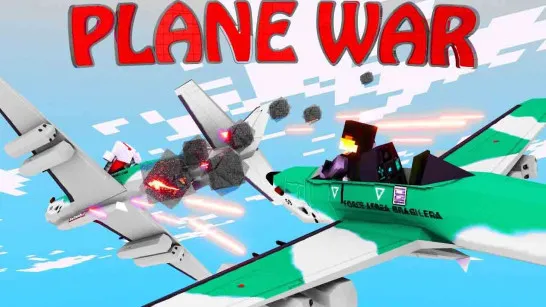
Plane Wars is an aerial action game by CriattivaLabs. You control a fighter, shoot down opposing aircraft, and earn cash for destroyed targets. The reward loop supports new aircraft and upgrades rather than ending with a single isolated dogfight.
To steer: lock the camera, then move the mouse left or right to tilt the plane. That gives flight correction a different role from freely moving an FPS crosshair. Judge how the fighter responds before making a large reversal, and use the target's path as the destination for the correction.
How to Play Plane Wars
Defeat enemy aircraft and use the earned cash to improve the plane or unlock another fighter.
- Click or tap to establish the locked flight camera.
- Move the mouse left or right to tilt toward a useful approach.
- Track the opposing aircraft and read the outcome of the current attack.
- Review cash and aircraft upgrades before choosing the next improvement.
Controls & Timing
Tilting is flight control
The mouse instruction changes the plane's attitude. Read its response rather than assuming an unrestricted point-and-click aiming system.
Cash follows destroyed targets
Successful attacks fund aircraft options and upgrades. Distinguish a reward you earned from a capability you have already purchased.
Controls
| Input | Action | When to use |
|---|---|---|
| Click or tap | Lock camera | Establish the flight-control view. |
| Mouse movement left/right, desktop | Tilt plane | Correct toward the next approach. |
| Swipe, touch | Control the plane | Use the touch flight controls. |
High Score Tips
- Measure the first correction. Observe how much the plane tilts before applying the opposite input. Rapid reversals can obscure whether the original adjustment was already sufficient.
- Track where the target is heading. A useful approach leads toward the enemy's next position rather than continually chasing its old location.
- Compare upgrades with the observed weakness. Decide whether control or combat performance limited the attempt before spending the cash on a new option.
- Keep the view stable enough to judge. Establish the camera lock before evaluating mouse response so an unlocked cursor is not mistaken for poor flight handling.
Key Features
- Aircraft combat: Opposing planes provide moving targets.
- Mouse-driven tilt: Left/right movement controls the flight correction.
- Cash rewards: Destroyed targets fund progression.
- Unlocks and upgrades: The available fighter can develop between attempts.
Frequently Asked Questions
Who made Plane Wars?
CriattivaLabs is credited for this aerial action game.
How do I begin controlling the flight?
Click or tap to lock the camera, then use the listed mouse left/right movement to tilt. Establish that state before judging the response of the plane.
How should I approach an enemy aircraft?
Read the target's path, then tilt toward a useful approach. Start the correction with room to spare so a large reversal does not carry the fighter past the line you wanted.
What should I use cash for?
It supports aircraft unlocks and upgrades. Read the available option and compare it with the weakness observed in the previous attempt before committing the reward.