




Quick Controls
- WASD → Move; Space → Jump. Position for the next build.
- Left-click → Shoot or build. The selected tool determines the action.
- R → Reload or rotate stairs. Read the current weapon/build state.
High Score Tips
- Practice the build-to-weapon transition in a familiar setup.
- Use G to create a door and E to open one as separate steps.
- Choose JustBuild when the construction sequence needs work before combat.
Place a defensive piece, choose a firing opening, and switch between building and shooting in a compact duel.
- Classification
- Shooter
About 1v1.LOL
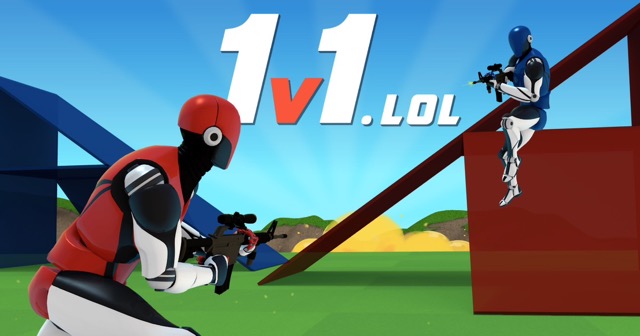
1v1.LOL is a third-person build-and-shoot game whose compact encounters combine a firearm exchange with rapid protection. Walls, platforms, and ramps change what an opponent can see and where you can move. The best next piece is the one that enables the following action rather than simply adding more construction.
Several controls depend on state. Left-click can place a structure or fire, and R can rotate stairs or reload the weapon. Door creation and opening are separate actions too. Practice options such as JustBuild and Aim Trainer help isolate those transitions before using them in a duel, duo, or box encounter. Read the selected mode and current key profile before assuming the same sequence applies everywhere.
How to Play 1v1.LOL
Defeat the opposition in the selected mode by connecting a useful structure, a controlled opening, and a ready weapon.
- Choose a duel, team, box, or practice option and inspect the current bindings.
- Use a building selection to create the protection or height needed next.
- Switch to a known weapon slot and left-click for the shot.
- Reload or restore the construction position as appropriate, recognizing which tool state is active.
Controls & Timing
R has two different jobs
The input reloads a weapon or rotates stairs according to the selected state. Confirm that state before interpreting the next action.
A door has creation and use stages
G creates the door on a platform, while E opens doors. Learn both before relying on the structure as the escape route.
Controls
| Input | Action | When to use |
|---|---|---|
| WASD / Space | Move / jump | Reach the next useful build position. |
| Left mouse button with weapon | Shoot | Take the selected shot. |
| Left mouse button with build selected | Build | Place the current structure. |
| Z/X/C/V or Y | Select building option | Use the pieces shown by the current profile. |
| F / 1 / 2 | Select weapon | Return to a known tool. |
| R with weapon | Reload | Prepare for another exchange. |
| R with stairs selected | Rotate stairs | Set the intended direction. |
| G / E | Create door / open door | Prepare and use a passage. |
| Shift | Crouch | Change posture. |
High Score Tips
- Practice the whole transition. Include placement, weapon selection, shot, and return to protection. A fast wall without the next tool selected does not complete the exchange.
- Use stairs with an endpoint. Rotate the structure toward the position you intend to reach instead of placing height without a route.
- Recognize the R state before pressing it. A reload expectation can fail while a build remains selected. Keep the visual tool state part of the routine.
- Separate building practice from aim practice. Use JustBuild or Aim Trainer for the specific weak stage, then combine the skills once the input sequence is recognizable.
Key Features
- Context-dependent primary input: Left-click places or fires based on the tool.
- Rotatable construction: Stairs can be oriented toward a planned route.
- Door interactions: Creating and opening a passage use distinct actions.
- Practice options: Construction and aiming can be worked on separately.
Frequently Asked Questions
Why did left-click place a piece instead of shooting?
A build option was selected. Return to the intended weapon slot before expecting the primary input to fire.
Why did R fail to reload?
R can rotate stairs while building. Check the current tool state and select the weapon before using the reload action.
Are G and E interchangeable?
No. G makes a door, while E opens one. Prepare the passage before relying on it during a duel.
Where should I practice the construction sequence?
JustBuild isolates building, while Aim Trainer isolates shooting practice. Choose the mode that addresses the transition causing trouble before returning to combined combat.