
Quick Controls
- Mouse movement → Aim. Follow the animal before firing.
- Left-click → Shoot. Take the aligned shot.
- Right-click or R → Reload. Right-click is not a zoom shortcut here.
High Score Tips
- Select the location through Hunt before evaluating the target task.
- Read the animal's movement before spending the shot.
- Compare weapon power with the trophy you are trying to obtain.
Choose a hunting location, wait for the animal to appear, and manage the shot and reload from a fixed aiming view.
- Developer
- StarGames studio
- Classification
- Shooter
About Hunting Online
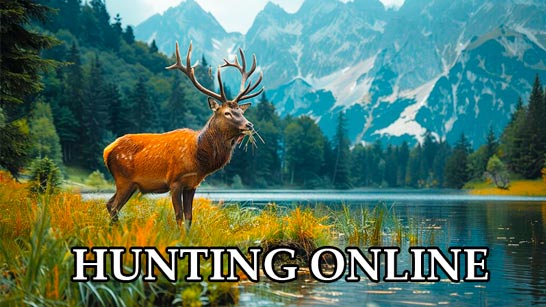
Hunting Online is a location-based hunting game in which you select Hunt, choose an area, and wait for wildlife to appear. The equipment choices include guns, a crossbow, and accessories for different hunting outings. A successful outing contributes rewards for further equipment and trophy progression.
Its desktop input has an important distinction: the right mouse button reloads, as does R. Aiming follows the mouse cursor, so a player importing the common right-click-to-zoom habit may interrupt the shot instead. Read the movement of the animal, establish the aim, and know whether the weapon is ready before committing. A stronger weapon can change what a well-placed hit achieves, but the shot still has to connect.
How to Play Hunting Online
Complete a hunting outing by placing effective shots and using its rewards to improve the next equipment choice.
- Select Hunt in the main menu, then choose the available location.
- Wait for an animal to appear and follow its movement with the mouse.
- Left-click for the shot once the aim is aligned.
- Reload with right-click or R when needed and review the outing's rewards before choosing further equipment.
Controls & Timing
Reload has two desktop bindings
Right-click and R perform the same listed preparation action. Keep them separate from an aiming habit learned in another shooter.
Power and placement are different
A one-shot trophy depends on sufficient weapon power and a well-aimed hit. Do not assume either condition alone guarantees the result.
Controls
| Input | Action | When to use |
|---|---|---|
| Mouse movement, desktop | Aim | Track the animal in the hunting view. |
| Left mouse button, desktop | Shoot | Fire when aligned. |
| Right mouse button or R, desktop | Reload | Prepare the weapon. |
| Left on-screen stick, touch | Aim | Direct the sight in touch play. |
| Displayed right-side buttons, touch | Shoot / reload | Use the separate actions shown by the game. |
High Score Tips
- Learn the reload before starting the outing. A remembered right-click zoom habit can trigger preparation instead of the intended shot. Use the correct input consistently.
- Read a short movement pattern first. Notice where the animal is heading before chasing it with a large mouse movement. A smaller correction makes the final alignment easier to judge.
- Evaluate power after confirming a hit. If the shot did not connect, a weapon purchase does not explain the miss. Separate aiming errors from insufficient weapon capability.
- Use rewards toward a chosen outing. Compare the next equipment option with the location or trophy you intend to attempt instead of assuming every unlock serves the same task.
Key Features
- Location selection: Hunt begins with an area choice.
- Trophy progression: Successful outings support further goals and rewards.
- Varied equipment: Firearms, a crossbow, and accessories provide preparation choices.
- Explicit touch layout: Aiming uses a left stick, with action buttons on the right.
Frequently Asked Questions
Does right-click zoom the view?
The listed desktop action is reload, with R as an alternative. Use mouse movement for aiming and avoid importing the right-click behavior of another shooter.
How do I start a hunt?
Choose Hunt in the main menu and select an available location. Then wait for wildlife to appear and read its movement before taking the first shot.
Will every animal fall in one hit?
That depends on enough weapon power and a well-placed shot. Evaluate whether the hit connected before concluding that equipment alone caused the result.
How are touch controls arranged?
Use the left stick to aim and the right-side buttons to shoot and reload. Follow the current layout rather than assuming a tap anywhere always fires.