








Quick Controls
- WASD or arrows → Steer. Choose the next gap before reaching it.
- Space or left-click → Shoot. Fire at defenses without abandoning the flight path.
High Score Tips
- Return toward a flexible position after a large dodge.
- Read a boss's shots while keeping the next wall opening visible.
- Use a slowdown opportunity to regain a readable route.
Steer a space fighter through a narrowing decision window, shooting defenses while avoiding the trench walls.
- Classification
- Shooter
About X Trench Run
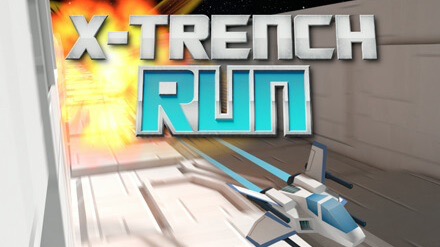
X Trench Run sends a space fighter along a confined trench, combining obstacle avoidance with shooting. Walls and gaps constrain the route, turrets add enemy fire, and boss encounters require repeated attacks while you continue dodging. The pace increases, reducing the time available to choose a path.
Survival and offense therefore share the same movement decision. Chasing a turret with the aim can carry the fighter into a wall, while a clean gap preserves the attempt even if a target remains. Power-ups include slowdown, a shield, and a wall-clearing effect. Read the current benefit rather than assuming every pickup protects against the same kind of danger.
How to Play X Trench Run
Keep the fighter alive through the trench and its boss attacks while collecting points from continued flight and successful shooting.
- Locate the next navigable gap and steer toward it with WASD or arrows.
- Use Space or left-click to shoot defenses that lie in a manageable firing line.
- Read available power-ups and adjust to the effect actually active.
- During a boss encounter, continue steering around attacks and the trench rather than concentrating only on damage.
Controls & Timing
More speed means less correction time
A late movement becomes harder to recover from as the trench accelerates. Identify the opening before adjusting rather than waiting for the wall to fill the view.
Bosses do not remove the trench
The boss introduces another attack pattern while the route remains important. Keep the next opening in the same plan as the target.
Controls
| Input | Action | When to use |
|---|---|---|
| WASD or arrow keys | Steer the fighter | Align with the next gap and avoid incoming fire. |
| Space or left mouse button | Shoot | Attack defenses or bosses through a workable line. |
High Score Tips
- Recover from a dodge toward a useful center. After avoiding one side, leave room to respond in either direction. Remaining at an extreme can make the next gap harder to reach.
- Choose the gap before the turret. A missed offensive opportunity costs less than ending the run against a wall while trying to finish the shot.
- Read the active pickup effect. Slowdown, shielding, and wall clearing solve different problems. Do not assume one grants the protection associated with another.
- Watch boss fire as a pattern. Choose a controlled route through the next attack instead of making several unrelated corrections that obscure the following opening.
Key Features
- Continuous trench flight: Walls remain part of every encounter.
- Combined steering and shooting: Offense competes with route attention.
- Boss attacks: Sustained targets add patterns to read while flying.
- Distinct power-ups: Slowdown, shield, and wall clearing change different risks.
Frequently Asked Questions
Is Space a jump command?
Space fires the fighter's weapon, as does the left mouse button. Use WASD or the arrow keys to change the flight path through the trench.
Should I always finish a turret before dodging?
Preserve the route first. Remaining on an unsafe line to complete a shot can end the attempt against a wall before the offensive benefit matters.
What should I watch during a boss encounter?
Read the boss's fire and the next trench opening together. A successful attack does not help if the fighter loses the route while concentrating on the target.
Do all power-ups provide the same protection?
No. Slowdown, a shield, and wall clearing are different effects. Read which effect is active and choose the next movement around that actual benefit.