



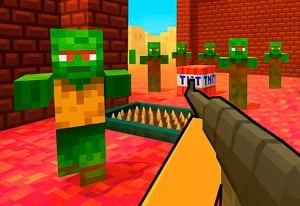
Quick Controls
- Click or tap → Shoot. Read the front of the approaching group.
- Space → Kick. Push back a close threat rather than expecting a jump.
- R → Reload; Q → Switch weapon. Choose the preparation action you need.
High Score Tips
- Use the kick to create space before a close zombie blocks the reload window.
- Watch a faster zombie passing a slower one.
- Choose a mode by its corridor challenge rather than its name alone.
Hold a narrow 2D approach, kick back close zombies, and manage reloads before the corridor fills.
- Classification
- Shooter
About Undead Corridor
Undead Corridor is a side-view zombie shooter built around confined approaches. Office, Hospital, Rooms, and Street provide different encounter contexts, while incoming enemies vary in speed and toughness. You need to remove the front pressure before the group reaches the survivor.
The control scheme offers a useful close-range response: Space kicks rather than jumps. R reloads and Q switches weapons, so an empty or unsuitable gun does not require the same solution every time. Watch the gap between the nearest zombie and the survivor, then decide whether a shot, kick, reload, or equipment change can be completed before that gap closes.

How to Play Undead Corridor
Survive the selected corridor challenge and earn the resources needed for stronger equipment.
- Choose a mode and inspect the direction from which the first group approaches.
- Click or tap to shoot the threat at the front of the usable firing line.
- Use Space to push back an enemy that reaches close range.
- Reload with R or switch with Q during the space available, then review the weapon purchase options after progression.
Controls & Timing
Kick is a distance tool
Space helps respond to a close approach. Use the space it creates for a defined next action instead of assuming it provides permanent protection.
A reload competes with approach time
R interrupts immediate firing readiness. Judge the nearest enemy's remaining distance before choosing it over another shot or weapon switch.
Controls
| Input | Action | When to use |
|---|---|---|
| Click or tap | Shoot | Attack the approaching group. |
| Space | Kick | Push a close threat back. |
| R | Reload | Prepare the current weapon. |
| Q | Switch weapon | Select another available gun. |
High Score Tips
- Look through the front rank. A faster zombie can become urgent even while a tougher target remains. Reassess the order as the group advances.
- Give the kick a follow-up. Decide whether it should create a shot, a reload window, or time to switch. The benefit is easier to use when the next action is already chosen.
- Choose a reload before the corridor closes. Waiting for an empty weapon at contact range reduces the available responses. Use a manageable gap rather than the latest possible moment.
- Compare weapons against the failed approach. A slow-moving tough enemy and a fast crowd create different demands. Purchase for the pressure the selected mode actually produced.
Key Features
- Confined 2D approaches: Distance is easy to read but can disappear quickly.
- Dedicated kick: A close-range input provides a response beyond gunfire.
- Mode-specific settings: Office, Hospital, Rooms, and Street vary the encounter context.
- Weapon progression: Earned resources support purchases for later threats.
Frequently Asked Questions
Does Space jump?
Space performs the kick action. Use it for a close zombie and plan what to do with the resulting space rather than treating it as a platforming input.
Should I always reload when the gun is low?
Check the nearest approach first. A shot, kick, or switch may be needed before a reload can be completed without leaving the front pressure unanswered.
What is Q used for?
It switches between available weapons. Recognize the next weapon before depending on the change during a crowded encounter.
Why can a familiar corridor become difficult?
Different zombie speeds and toughness alter the usable gap. Watch how the current group approaches instead of repeating the previous target order automatically.