


Quick Controls
- WASD or arrows → Move. Advance the scene with a chosen destination.
- Left-click → Pick up a weapon or shoot. The action depends on what is in front of you.
- F → Pick up or throw a shield. Manage protection separately from your gun.
High Score Tips
- Check the hostage's position before choosing a firing line.
- Use a shielded enemy's exposed angle rather than repeating blocked shots.
- Prepare your equipment before opening a closed room.
Breach rooms, rescue hostages, and work around armored attackers while your movement advances the firefight.
- Developer
- GoGoMan
- Classification
- Slow Motion
About Time Shooter 3
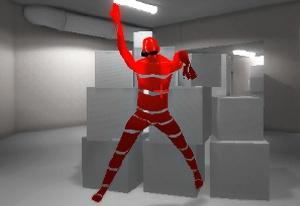
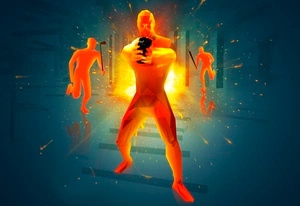
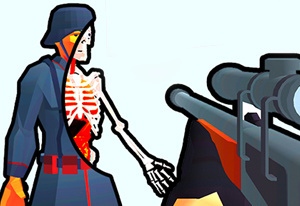
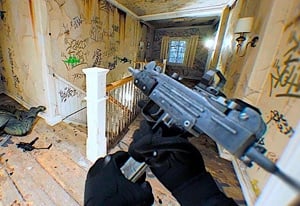
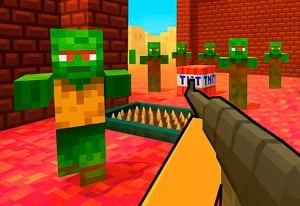
Time Shooter 3 adds hostage rescue and armored opponents to the series' movement-linked gunfights. You advance through 3D encounters where slowing your movement nearly stops the surrounding action. Orange attackers may carry shields or wear helmets and body armor, while hostages introduce people whose safety also matters to the encounter.
Doors turn the next room into a separate decision. A battering ram or shotgun can breach an entrance, but the useful preparation happens beforehand: recognize your weapon, identify your protection, and consider where a hostage might stand beyond the opening. Your shield also has its own control, so managing it is different from discarding a gun.

How to Play Time Shooter 3
Remove the hostile attackers and free the hostages while keeping the rescue line clear.
- Inspect the visible attackers, armor, and hostages before taking the first step.
- Pick up a suitable weapon and use F for a shield when one is accessible.
- Breach a closed entrance with the appropriate available tool, then inspect the new room.
- Use movement to create an exposed angle on armored enemies and finish the rescue task.
Controls & Timing
Armor changes the shot
A shield or protected body area can block the direct solution. Look for a different angle before committing more ammunition to the same line.
Breaching changes the encounter
Opening a door reveals a new set of threats. Finish the equipment decision on your side of the entrance instead of searching for a weapon after the breach.
Controls
| Input | Action | When to use |
|---|---|---|
| WASD or arrow keys | Move | Change position and advance the encounter. |
| Left mouse button | Pick up weapon / shoot | Acquire equipment or attack with the held weapon. |
| Right mouse button or R | Throw weapon | Discard the held gun when changing options. |
| F | Pick up / throw shield | Manage available shield protection. |
High Score Tips
- Separate the hostile from the hostage. Trace the intended firing line before taking the shot. A visible attacker is not the only figure whose position matters.
- Solve the shield first. Reposition toward an exposed part or choose a better-suited weapon. More shots from an unchanged blocked angle do not create a new opportunity.
- Keep F distinct from R. One manages the shield; the other throws the weapon. Knowing which object will leave your hands prevents an equipment mistake during a breach.
- Open a door with a next position chosen. Decide where you can observe the revealed room before committing to a longer advance.
Key Features
- Hostage rescue: Encounter completion involves more than eliminating orange attackers.
- Armored enemies: Shields, helmets, and body armor affect the approach.
- Door breaching: A ram or shotgun can open a blocked entrance.
- Separate shield input: Protection and weapon disposal use different controls.
Frequently Asked Questions
Does R reload my gun?
R throws the held weapon, as does the right mouse button. Use it when discarding equipment; it is not the conventional reload command used by many other shooters.
What does F control?
F picks up or throws a shield. Check the held equipment before pressing it, particularly when you intend to keep protection for the next room.
What changes from Time Shooter 2?
Hostage rescue, armored opponents, and door breaching add new constraints. The best firing line must account for protection and people you are trying to save.
Should I breach as soon as I reach a door?
Prepare first. Choose the available breaching tool and recognize your weapon and shield state before revealing an encounter you have not yet inspected.