

Quick Controls
- WASD → Move; hold Shift → Run. Create room before melee enemies reach you.
- Left-click → Shoot. Right-click uses the aimed view.
- Wheel or 1–7 → Switch weapons. Use a known tool for the incoming threat.
High Score Tips
- Separate an incoming grenade from the enemy who threw it.
- Change the approach when a melee attacker is already close.
- Keep the original game distinct from the sequel's shop progression.
Survive orange attackers carrying grenades, pitchforks, and melee weapons by choosing the right tool for each approach.
- Developer
- GoGoMan
- Classification
- FPS
About Funny Shooter
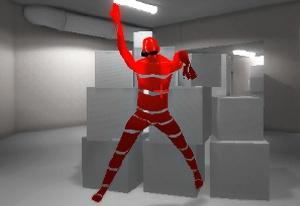
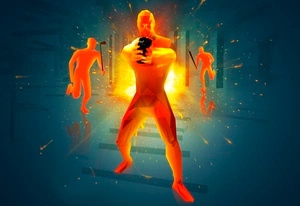
Funny Shooter pits you against orange figures with different sizes and attack tools. Some approach with clubs, axes, or chainsaws; others threaten you with thrown grenades and pitchforks. Your own equipment ranges from conventional guns to explosive weapons, making the next attack depend on what is coming toward you.
The important difference is between the opponent and the attack already in motion. Defeating a thrower does not tell you that its projectile's path is safe to cross. Likewise, aiming at a distant figure can leave too little attention for an approaching melee threat. Read the attack type, choose the appropriate weapon slot, and preserve enough room to respond before committing to a longer exchange.

How to Play Funny Shooter
Defeat the orange enemy groups while avoiding their projectiles and close-range attacks.
- Identify which enemies are approaching with melee weapons and which can attack across the field.
- Select equipment with 1–7 or the wheel and choose the threat that needs the next response.
- Move, aim, and shoot while checking for incoming thrown attacks.
- Reload during a manageable gap and reassess the remaining enemy tools before advancing.
Controls & Timing
A throw remains a separate hazard
Grenades and pitchforks can threaten the route even while you aim at their user. Inspect what is already approaching before moving toward the next target.
Melee contact changes urgency
A close club, axe, or chainsaw attacker can interfere before a distant shot becomes useful. Respond to the available distance rather than ranking enemies only by size.
Controls
| Input | Action | When to use |
|---|---|---|
| WASD | Move | Avoid attack paths and maintain separation. |
| Hold Shift | Run | Cross to a selected open area. |
| Left mouse button | Shoot | Fire the current weapon. |
| Right mouse button | Aim | Inspect a selected shot. |
| Wheel / 1–7 | Switch weapon | Choose available equipment. |
| R | Reload | Prepare the current gun. |
| G | Throw grenade | Use an available explosive. |
| F / Q | Knife attacks | Use the listed close-attack options. |
| Space | Jump | Navigate the encounter. |
High Score Tips
- Follow the projectile, not only the thrower. Once an attack is airborne, include its direction in the route decision. Turning toward another enemy does not remove that hazard.
- Match the weapon to the approach. A closing group and a distant isolated figure present different problems. Recognize the current slot before deciding which exchange it should take.
- Preserve distance from melee tools. Watch where the close attacker will be after your next movement. A short successful shot is insufficient if the route ends inside another enemy's reach.
- Keep the active equipment in mind. Choose the weapon you need for the approaching enemy and watch the route around it. Make equipment decisions during a clear interval between attacks.
Key Features
- Mixed attack tools: Thrown weapons and melee threats require different responses.
- Orange enemy groups: Size and approach vary within the encounter.
- Firearm and explosive options: The arsenal supports different target groupings.
- Separate knife actions: Two listed close-attack inputs add alternatives to gunfire.
Frequently Asked Questions
Why watch a grenade after shooting its thrower?
The attack path is a separate part of the scene. Check where the projectile is travelling before crossing that space or moving toward another enemy.
What makes a melee opponent urgent?
It can reach you while your attention stays on a distant target. Compare the remaining movement space and approach speed before spending more time on a far-away shot.
Can I select a weapon directly?
Yes. Use the numbered 1–7 slots or the mouse wheel. Learn the available arrangement so an equipment change produces the tool you intended.
Is this Funny Shooter 2?
This is the earlier Funny Shooter, also known as Funny Shooter - Destroy All. The sequel's shop, achievement rewards, and progression details should be read on its own page.