

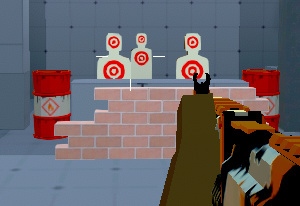
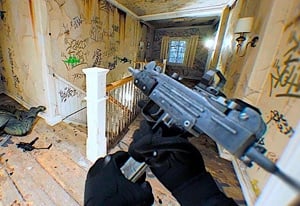
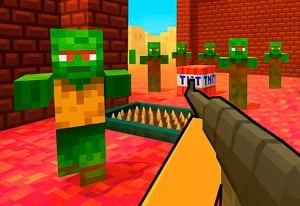
Quick Controls
- WASD → Move; W + Shift → Run. Keep the crowd in a readable part of the field.
- Left-click → Shoot; hold right-click → Aim. Choose the view for the target.
- R → Reload; G → Throw grenade. Prepare before the group reaches you.
High Score Tips
- Check achievement rewards when saving for a weapon.
- Choose upgrades around the enemy type causing the current difficulty.
- Keep ordinary attackers in view while engaging a giant.
Clear fields of redmen, giants, and toilet-headed attackers, then fund the next weapon purchase with earned gold.
- Developer
- GoGoMan
- Classification
- FPS
About Funny Shooter 2
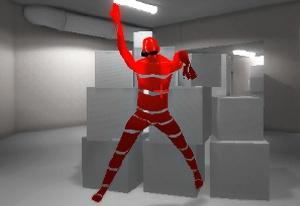
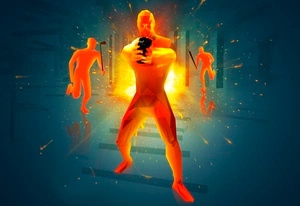
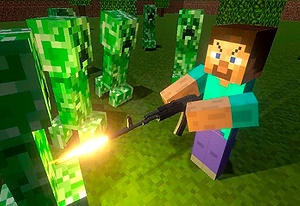
Funny Shooter 2 combines crowd survival with an equipment economy. Redmen, toilet-headed enemies, and giants fill colorful fields, while your arsenal grows through purchases and upgrades. Clearing encounters introduces further enemy types, so a comfortable early weapon routine eventually needs another look.
Gold comes from more than continuing to fight. Achievement rewards can contribute to purchases, and the shop includes weapons, attachments, and customization choices. This gives a close call a practical follow-up: identify whether enemies reached you during a reload, whether one tough target absorbed too much attention, or whether an explosive would have addressed a group more efficiently. Spend toward that problem instead of buying by appearance alone.

How to Play Funny Shooter 2
Clear the hostile groups and use earned resources to prepare for the enemies introduced later.
- Locate the closest group and identify whether it contains an unusually large or threatening enemy.
- Select a weapon with the wheel or 1–7, then move and fire while preserving space.
- Reload or use an available grenade before crowd pressure removes that opportunity.
- After the encounter, inspect achievements and shop options before committing the next purchase.
Controls & Timing
Achievements can fund equipment
Check the reward screen alongside ordinary combat earnings. An already completed milestone may help finance a purchase without requiring another identical run.
A larger enemy divides attention
A giant can remain your main target while smaller attackers close the gap. Recheck the surrounding group rather than concentrating every shot on the largest silhouette.
Controls
| Input | Action | When to use |
|---|---|---|
| WASD / W + Shift | Move / run | Maintain space around the crowd. |
| Mouse movement | Look and aim | Read different enemy approaches. |
| Left mouse button | Shoot | Fire the selected weapon. |
| Hold right mouse button | Aim | Refine a chosen shot. |
| Wheel / 1–7 | Select weapon | Change to another equipped option. |
| R | Reload | Prepare during a gap in pressure. |
| G | Throw grenade | Attack a useful cluster. |
| Space | Jump | Navigate the field. |
High Score Tips
- Check earned rewards before another grind. Inspect achievements when the next weapon seems out of reach. This connects progress already made with the shop decision.
- Keep the crowd and the giant in the same plan. Removing a tough enemy matters less if ordinary attackers surround you during the attempt. Reorder targets when the escape space closes.
- Distinguish a new gun from a customization. Read the shop option's actual effect. An appearance change should not be assumed to solve a damage or reload problem.
- Use an explosive for a defined group. Identify the concentration before spending G. The advantage is reducing several approaching threats, not merely pressing every available attack.
Key Features
- Absurd enemy roster: Redmen, toiletmen, and giants create visibly different threats.
- Progression shop: Weapons and additional equipment choices develop the arsenal.
- Achievement payouts: Completed milestones provide another source of gold.
- Crowd encounters: Groups require target order as well as single-shot accuracy.
Frequently Asked Questions
Where can extra upgrade money come from?
Check the achievement screen for earned rewards. Those payouts can contribute to purchases alongside ordinary progression, so inspect them before assuming another combat attempt is the only source.
Should I focus only on the biggest enemy?
Watch the nearby group as well. Smaller attackers can close your route while the giant occupies the aim, making the immediate crowd more urgent than its size suggests.
Does this copy the first Funny Shooter's whole progression?
This sequel adds a shop-and-achievement progression focus. Use its own purchase screens rather than assuming the original game's weapon access works in the same way.
What does holding right-click do?
It activates the aimed view for a selected shot. Release it to inspect the wider group when needed, then choose another target before aiming again.