



Quick Controls
- WASD → Move. Hold W + Shift to run.
- Left-click → Shoot. Hold right-click to aim.
- R → Reload. Prepare the selected gun before another close approach.
High Score Tips
- Learn the selected 1–7 slot before switching under pressure.
- Use a grenade against a useful group rather than one unplanned target.
- Leave the held aim view to check where the next animatronic is approaching.
Face animatronic attackers with a selectable firearm loadout, manual reloads, and grenades.
- Developer
- GoGoMan
- Classification
- FPS
About FNAF Shooter
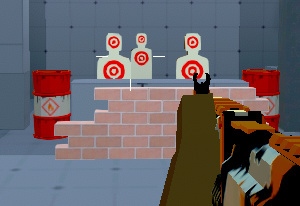
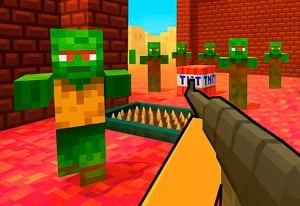
FNAF Shooter is an action FPS about surviving an animatronic invasion. You move through the encounter directly, select weapons from a numbered loadout, and fight with guns and grenades. The recognizable animatronic theme frames a shooter rather than the office-camera routine associated with the commercial Five Nights at Freddy's games.
The controls create a practical equipment rhythm. Holding the right button aims, R reloads, and the wheel or 1–7 selects another weapon. Know what the current slot contains before contact, then decide whether to keep firing, reload during a gap, or change tools. Looking through the aimed view is useful for a selected target, but other attackers still need attention.

How to Play FNAF Shooter
Eliminate the animatronic threats while keeping enough space and weapon readiness to survive the encounter.
- Read the nearby attackers and identify the firearm already selected.
- Move with WASD and choose a numbered slot or mouse-wheel selection when another weapon is useful.
- Aim with the mouse, hold right-click for the aimed view, and left-click to shoot.
- Reload during a manageable interval and use G for an available grenade when the target grouping justifies it.
Controls & Timing
Aiming has a held phase
Hold the right button to use the aimed view. Release it when you need to inspect a wider part of the encounter rather than remaining focused on one defeated target.
Slots make switching predictable
The wheel and 1–7 select weapons. Learn their arrangement before relying on an emergency switch in front of an approaching animatronic.
Controls
| Input | Action | When to use |
|---|---|---|
| WASD | Move | Maintain separation from approaching enemies. |
| W + Shift | Run | Cross a route with a destination selected. |
| Mouse movement | Look and aim | Find and align an animatronic target. |
| Left mouse button | Shoot | Fire the selected weapon. |
| Hold right mouse button | Aim | Refine the selected shot. |
| Wheel / 1–7 | Select weapons | Choose from the current loadout. |
| R | Reload | Prepare the current gun. |
| G | Throw grenade | Use an available explosive. |
| Space | Jump | Navigate the encounter. |
High Score Tips
- Learn two adjacent weapon choices first. Recognize what the current slot and its neighbor provide so switching produces a known tool rather than another surprise.
- Time reloads against the closest approach. A full magazine is useful for the next fight, but starting the action while an attacker is already close can leave that fight uncontested.
- Keep grenades tied to a target cluster. Choose the group you intend to affect before pressing G. A random throw spends an option without establishing where it should help.
- Return to the wider scene after aiming. Another animatronic can enter from outside the focused view. Recheck the approach before selecting the next target.
Key Features
- Animatronic opponents: The enemy theme gives the encounter its identity.
- Selectable loadout: The wheel and numbered slots provide weapon choices.
- Held aiming: A separate input stage supports deliberate shots.
- Grenade and reload controls: Equipment decisions extend beyond firing.
Frequently Asked Questions
Do I manage security cameras and office doors?
This is a direct-action shooter: move through the encounter, aim at the animatronics, and manage your weapon and reloads.
How do I change guns?
Use the mouse wheel or 1–7. Check the selected weapon before firing, particularly when changing slots while enemies are approaching from more than one direction.
Do I hold the right button or tap it?
Hold it for the aimed view. Release when you need a wider inspection, then hold again after choosing the next target to engage.
Is this an official Five Nights at Freddy's release?
This browser shooter is credited to GoGoMan. This page covers its browser shooting gameplay and controls.