




Quick Controls
- Arrow keys → Move the vehicle. Read the next turn before accelerating through it.
- Space → Handbrake. Use it to control an approaching corner.
- C → Change camera. Pick a view that shows the vehicle and road clearly.
High Score Tips
- Learn the selected vehicle before adding nitro.
- Use a recognizable junction to organize a return route.
- Check which special action the current vehicle supports.
Explore a browser multiplayer city from a selected vehicle, using roads, camera views, and vehicle-specific actions.
- Classification
- 3D
About GTA: San Andreas
This GTA: San Andreas browser entry is a multiplayer vehicle sandbox also called GTA: San Andreas Multiplayer. You choose a nickname and a vehicle, then explore a city with other drivers. The available selection includes road vehicles and helicopters; some vehicles also provide weapon-related actions.
In this vehicle-centered version, you stay in the selected ride. That makes road reading, camera choice, and learning the current vehicle more relevant than a character's on-foot loadout. Explore a route at ordinary speed first, then add nitro or special actions after understanding how the vehicle responds. The setting's familiar name does not imply the commercial game's full campaign.
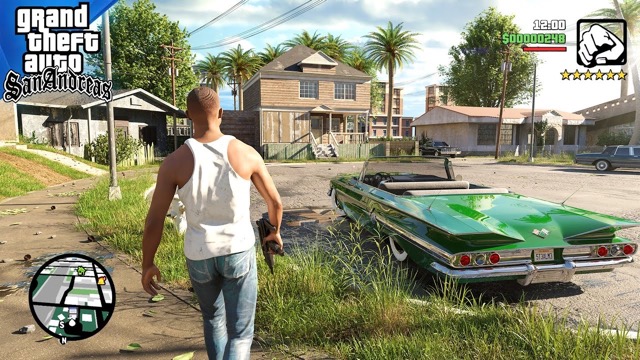
How to Play GTA: San Andreas
Explore the shared city and take part in vehicle-based encounters while retaining control of the selected ride.
- Choose the nickname and available vehicle for the session.
- Use the arrow keys to drive and C to find a readable camera view.
- Learn a short route through recognizable streets before using Shift for nitro.
- Use the vehicle's available special actions only after checking what the selected model supports.
Controls & Timing
Vehicle choice changes the task
A road vehicle and a helicopter are different ways to navigate the same city. Learn the selected ride before assuming a control result from another model.
Camera changes available information
C cycles the view. Choose a perspective that makes the next turn and nearby vehicles visible before attempting a faster route.
Controls
| Input | Action | When to use |
|---|---|---|
| Arrow keys | Move vehicle | Navigate the city. |
| Space | Handbrake | Control an approaching corner. |
| C | Change camera | Improve the view of the road. |
| Shift | Nitro | Accelerate on a route you can read. |
| F / V | Shoot / rocket action | Use compatible vehicle equipment. |
| G | Vehicle jump | Use the listed special movement action. |
| Enter | Chat | Communicate within the session. |
High Score Tips
- Learn the corner without boost. A clean low-speed route tells you where to brake and turn. Nitro is easier to manage after those positions are familiar.
- Choose the view before the maneuver. Changing camera during a difficult turn adds another adjustment. Establish a readable perspective on a simpler section first.
- Treat special actions as model-dependent. A listed rocket input does not mean every vehicle carries one. Recognize the selected equipment before trying to use it.
- Remember a return landmark. A recognizable junction or building helps reconnect an exploration loop when the shared city becomes busy around you.
Key Features
- Multiplayer city driving: Other drivers share the streets and exploration space.
- Vehicle selection: Road and airborne rides provide different navigation roles.
- Camera cycling: The view can be changed to improve route reading.
- Nitro and special actions: Compatible vehicles offer options beyond steering.
Frequently Asked Questions
Can I walk out of the vehicle?
In this version, you stay in your selected vehicle. Plan around driving and the selected model rather than assuming an on-foot character or weapon system.
Does this include CJ's commercial story?
This page covers the browser multiplayer driving game. Choose a vehicle, explore the shared city, and learn the camera and vehicle actions for your selected ride.
Which control changes the camera?
Press C. Choose the view that makes the road and nearby vehicles easiest to judge, preferably before starting a fast or unfamiliar maneuver.
Why might a rocket input do nothing?
Special equipment depends on the selected vehicle. Check its available actions instead of assuming every model has the same weapons or movement abilities.